UltraVocal
Vocal warm-up app · iPhone and Android

Warm up and tune your voice every day

For anyone who sings, from people just starting out to singers with years on stage, and for their voice teacher. It measures your range and the exercises adapt to your voice with a piano reference. While you sing you see your voice drawn over the notes, with your tuning in cents.

  • Free
  • No accounts
  • No headphones
  • Your voice is never recorded
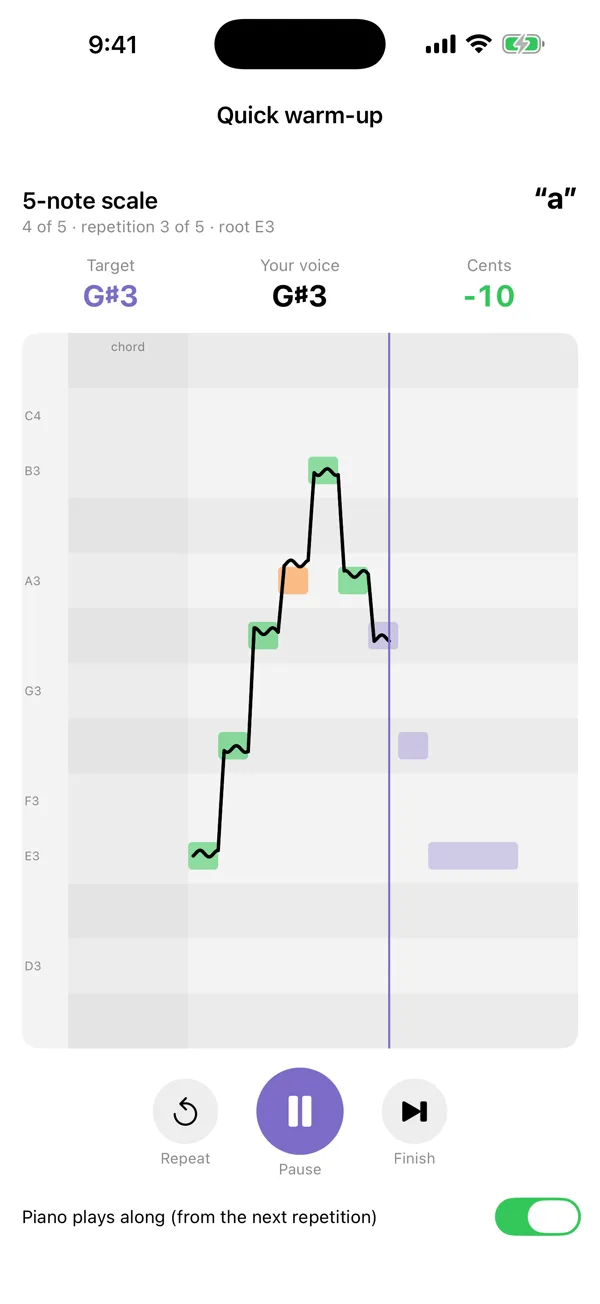
5-note scale exercise in UltraVocal: target notes on a piano roll with the singer's voice drawn on top, live note and cents

How it works

A warm-up that fits your voice

No setup: open the app, measure your range once and warm up.

  1. Measure your range

    Sing two sirens from low to high, or type your range if you know it. The app works out your comfortable zone.

  2. Warm up with piano

    Exercises move up a half step per repetition inside your zone and then come back down. The piano plays the melody or just the chord.

  3. See how you did

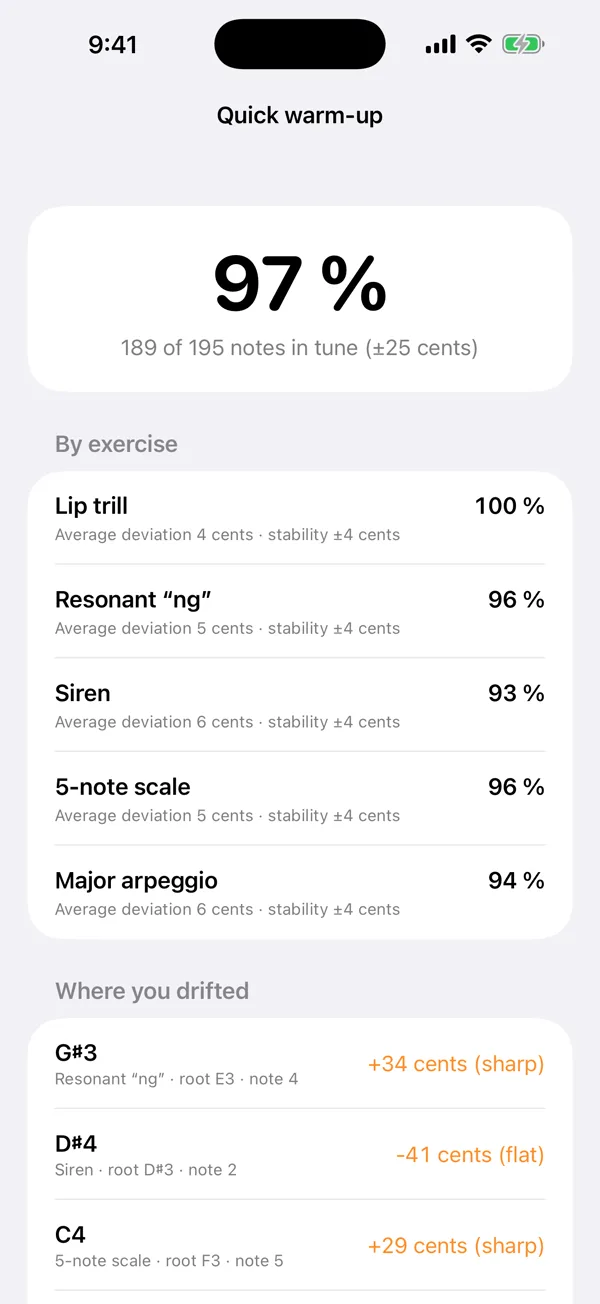
    At the end you see the percentage of notes in tune, where you drifted and whether you were sharp or flat.

Your voice in real time

See exactly which note you're singing

The exercise notes appear on a piano roll and your voice is drawn on top as you sing, with the live note and cents. Green means in tune (±25 cents); orange means you drifted.

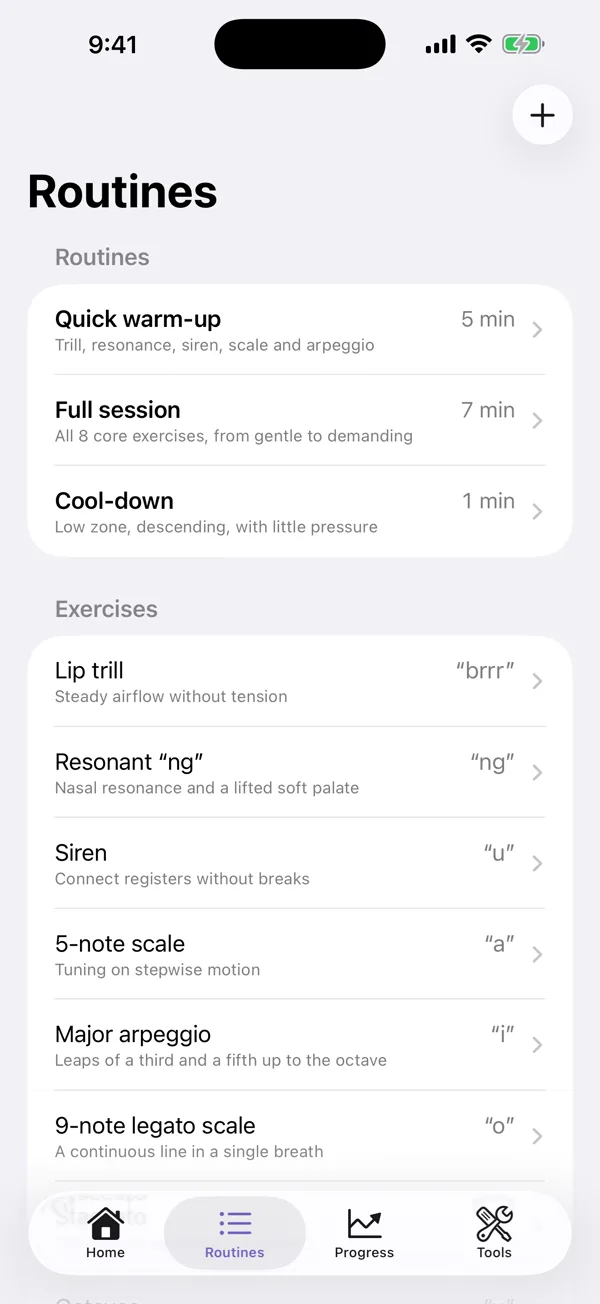
  • 8 core exercises: lip trill, "ng", siren, 5-note scale, arpeggio, legato scale, staccato and octaves
  • Ready-made routines: quick warm-up, full session and cool-down
  • Build your own routines
UltraVocal routines screen

Results and progress

Track your progress, not just your warm-up

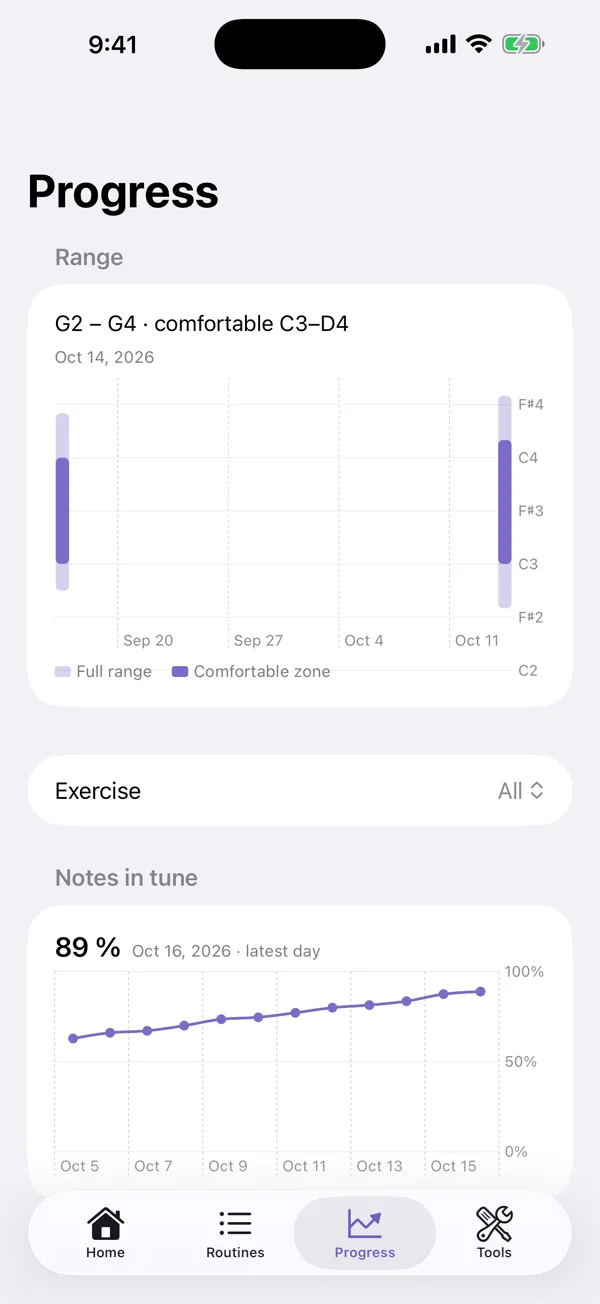
Every exercise ends with clear numbers, and the charts show how your voice changes over the weeks.

  • Percentage of notes in tune, average deviation and stability
  • The notes where you drifted and whether you were sharp or flat
  • Charts of your range, tuning, sustained note and breathing
  • Daily streak and one reminder a day at your time
Exercise results in UltraVocal with the percentage of notes in tune

Tools

Work on your technique piece by piece

Four tools to practice outside the routine.

Tuner

Voice tuner

The note you're singing and its trace over time, so you can see if you stay centered.

Sustained note

Hold and vibrato

Timer, pitch drift and vibrato analysis of a long note.

Breathing

"Sss" breathing

How long your air lasts and how steady the flow is.

Dynamics

Messa di voce

Your dynamic range and whether your pitch moves from soft to loud.

For voice teachers

Your teacher assigns practice and sees how it goes

The teacher invites a student with a link or a code, sends exercises with a note and follows their progress, without anyone creating an account.

  • Tasks with a due date and times per week
  • The teacher sees tuning, streak and practice minutes
  • Each phone is identified by its own key, no email or password
  • You can leave a teacher and delete your data from the server at any time
UltraVocal progress charts

Privacy

Your voice stays on your phone

Analysis happens in the moment, on your device. Read the full policy.

Never recordedAudio is analyzed instantly and never stored or sent.
No accountsNo email, no password. Open the app and sing.
Works offlineExercises, analysis and tools work without internet.
One ad a dayAt most, after you finish. Never while you sing.

FAQ

Common questions

Is UltraVocal free?

Yes. Everything is free. Starting with your fourth warm-up you'll see at most one ad a day, after the warm-up ends; never while you sing.

Do I need headphones?

No. The app is designed to be used with the phone speaker: it keeps what reaches the microphone loudest, which is your voice, and leaves the piano out. Hold the phone about 20–30 cm (8–12 in) from your mouth.

Does UltraVocal record my voice?

No. Audio is analyzed on your phone in the moment to measure pitch; it is never recorded, stored or sent. There are no accounts or passwords.

Does it work if I'm just starting to sing?

Yes. The range test fits the exercises to your voice whatever your level, and the in-app tutorial walks you through each screen. If you have experience, the tools help you polish tuning, vibrato, breathing and dynamics. And if you take lessons, your teacher can send you exercises and see your progress.

How do the exercises adapt to my voice?

You take a range test by singing two sirens, or type your range if you already know it. Exercises move up a half step per repetition inside your comfortable zone and then come back down.

Does it work offline?

Yes. Exercises, voice analysis and tools work without a connection. Only the optional teacher tasks use the UltraVocal server.

Can my voice teacher send me exercises?

Yes. Your teacher invites you with a link or a code, sends tasks with a note and sees your progress (tuning, streak and minutes). No accounts are created and you can delete your data from the server at any time.

Which phones does it work on?

Android (Google Play) and iPhone. The app is available in English and Spanish.

Another question? See Support.

Start today's warm-up

Free, no accounts, ready in under a minute.